
Platform
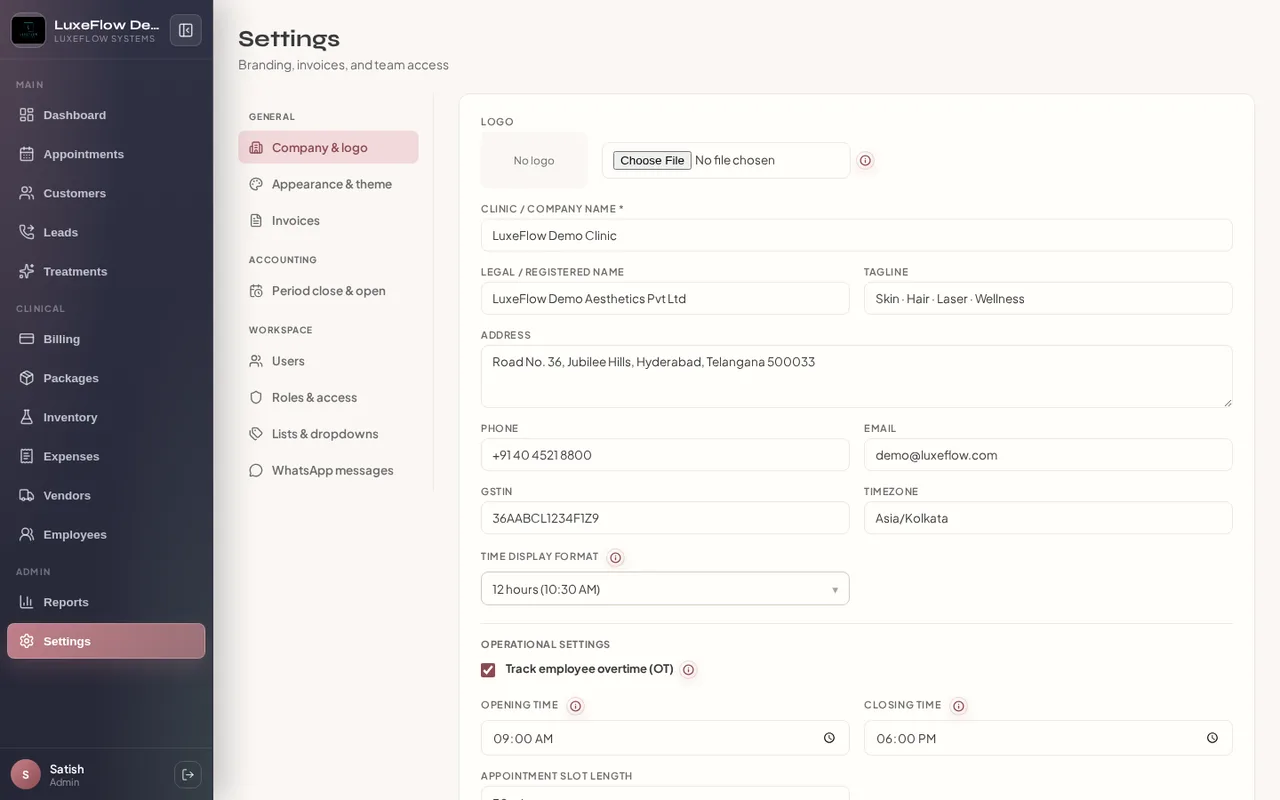
Clinic Settings & Integrations
Branding, users, permissions, integrations, accounting periods, and platform security controls.
Clinic
Problems we solve
- Scattered configuration across tools
- Over-broad staff access to sensitive modules
Benefits
- Clinic profile, branding, and bill numbering
- User roles and granular permission matrix
- Gmail, Drive, and WhatsApp template setup
- Accounting period lock and reopen controls
- Login IP allowlisting on the LuxeFlow platform (clinic UI rolling out)
How it works
Step 1
Configure
Set clinic identity, slots, and branding.
Step 2
Secure
Assign roles, permissions, and network access policy.
Step 3
Integrate
Connect email, Drive, and messaging workflows.
Feature list
- Multi-tab settings: company, catalog, billing, appearance
- Roles & access permission matrix per module action
- Staff users: invite, roles, username or email login
- Integrations with encrypted credential storage
- Accounting periods: lock, reopen, and payment-date rules
- WhatsApp and printable form templates
- Catalog colors for lead statuses and UI labels
- Merge duplicate customers (admin tooling)
- Platform login IP restriction — enforced today; self-service allowlist in Settings coming soon
Roles
Admins
Use cases
New branch setup
Business impact
Controlled access