
Operations
Inventory
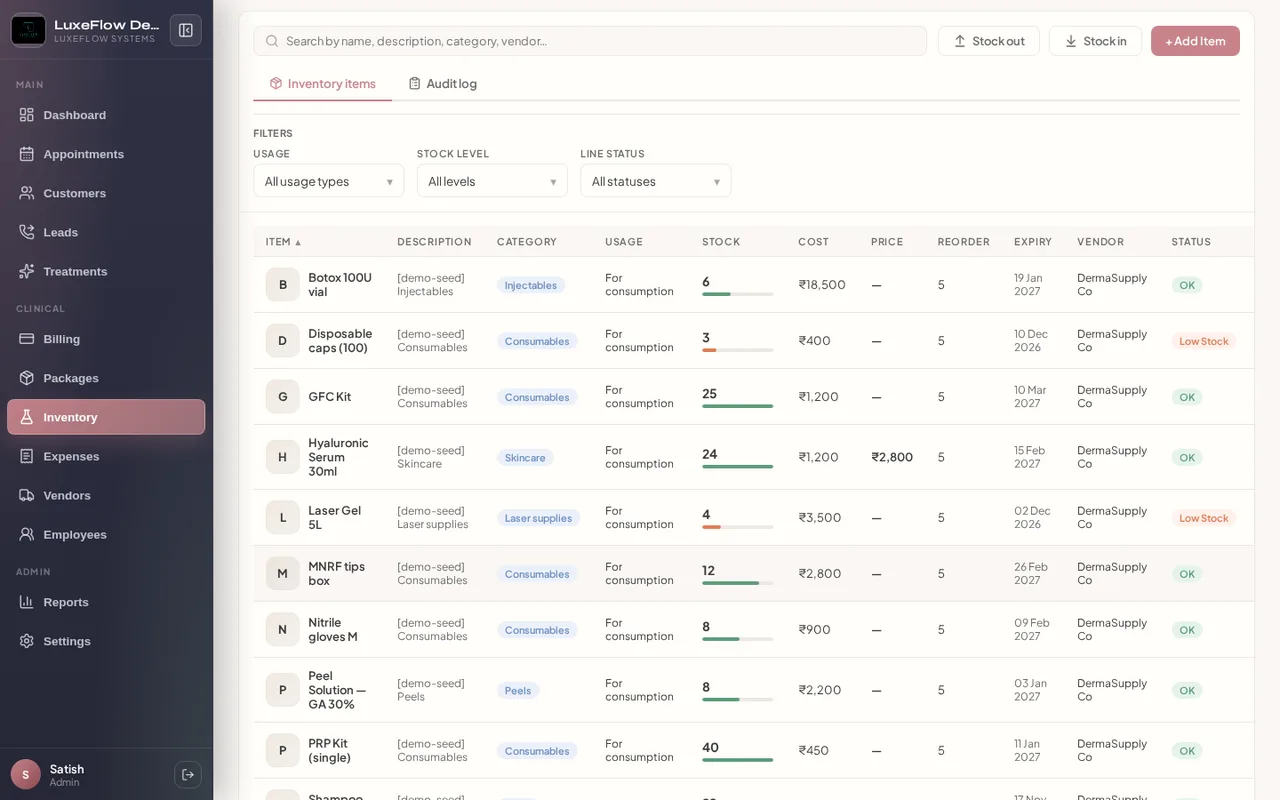
Stock, expiry, and consumables tied to clinical revenue.
Dashboard
Problems we solve
- Stock-outs during procedures
- No link between usage and revenue
Benefits
- Stock in/out with audit log
- Low-stock visibility
- Item photos
How it works
Step 1
Stock
Receive and issue inventory.
Step 2
Monitor
Watch low stock and expiries.
Step 3
Consume
Attach usage to bills.
Feature list
- SKU management with categories and photos
- Stock in/out with inventory audit log
- Low-stock and expiry visibility on dashboard
- Batch and expiry fields for injectables and retail
- Consumables and retail lines on invoices
- Links to purchase orders and vendor replenishment
Roles
Inventory manager · Practitioners
Use cases
Injectable vial tracking · Retail skincare shelf
Business impact
Reduced wastage